# License Management
This page explains how to flexibly assign Qbitec licenses to individual users within a company.
Here's a 2-minute video that shows the process
#### **Step-by-Step Process**
##### **Log In & Dashboard**
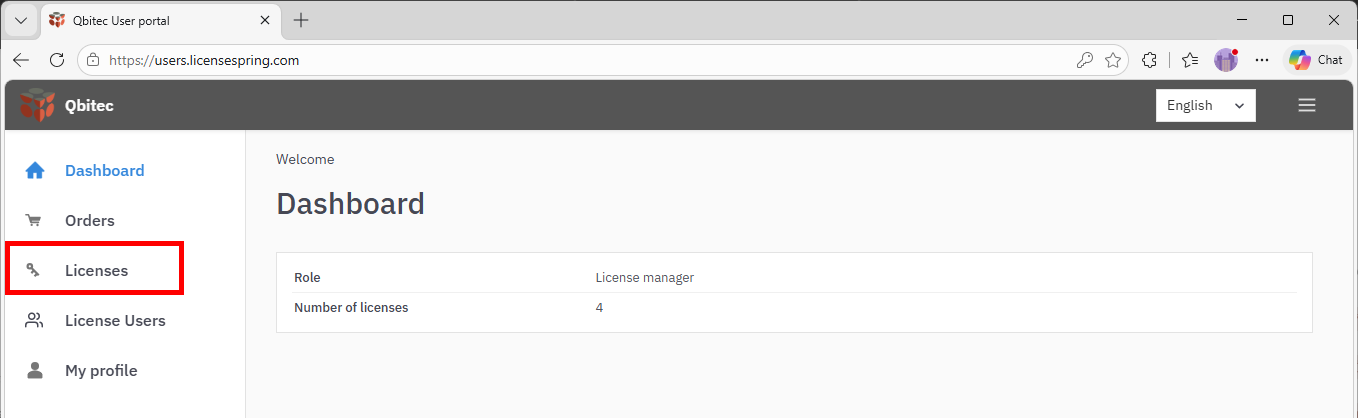
Access the licensing portal, [LicenseSpring](https://users.licensespring.com/) and log in using the Company code *QBITEC* along with the email and password provided in your registration email.
[](https://qbitec.com/kb/uploads/images/gallery/2026-03/DEtimage.png)
##### **Licenses**
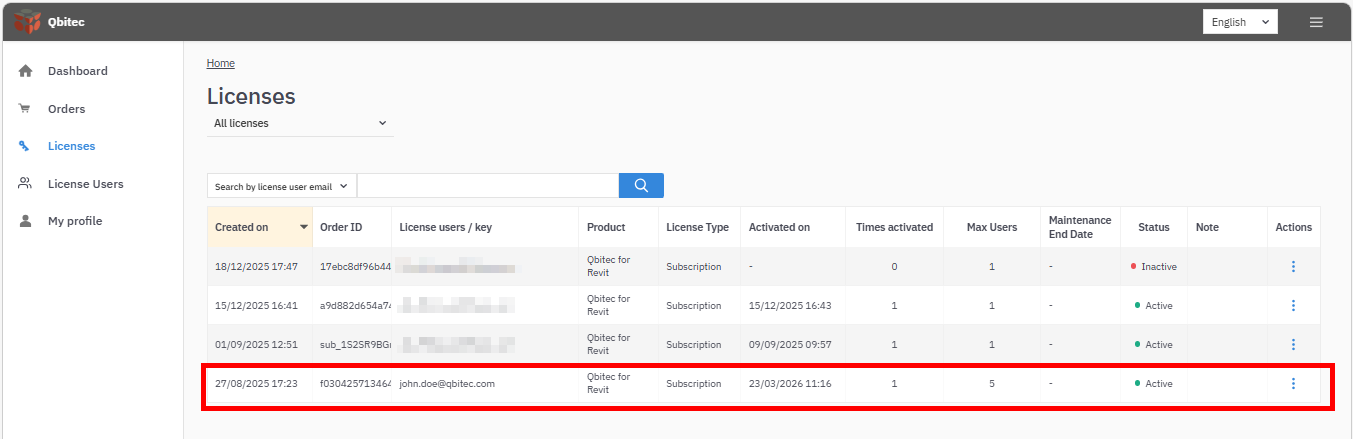
The **Licenses** section provides an overview of all the licenses associated with your user account. Click on a row in the list to manage a particular license.
[](https://qbitec.com/kb/uploads/images/gallery/2026-03/srmimage.png)
##### **License details**
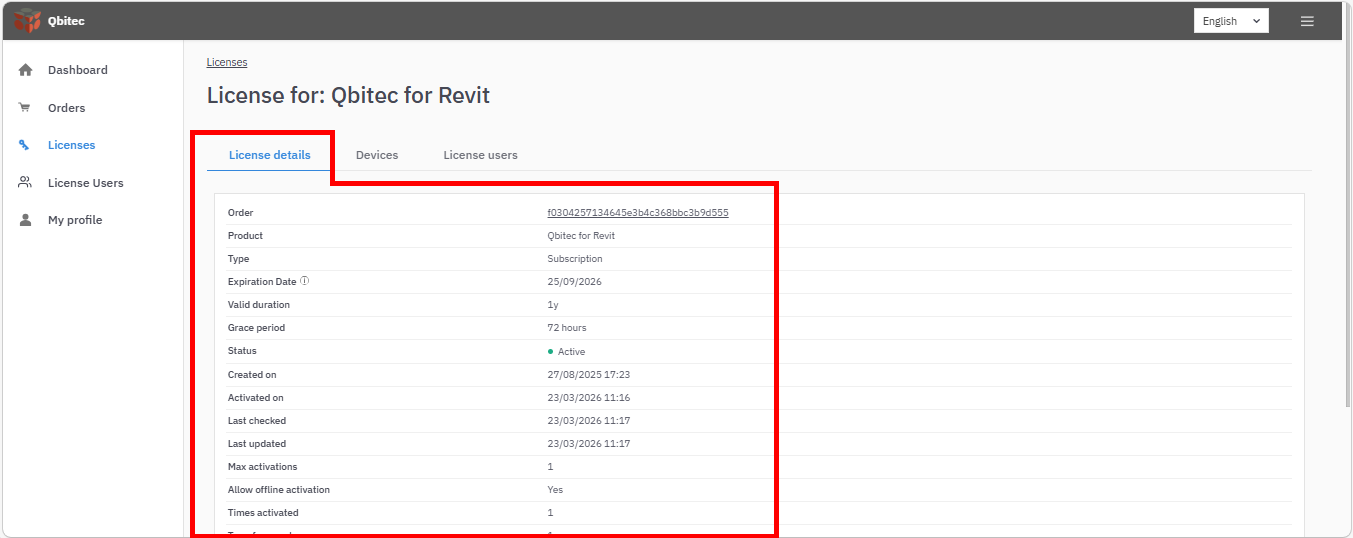
The **License details** page provides a concise overview of a software license, including its identity, type, and current status. It outlines the license lifecycle, such as creation, activation, expiration, and any grace period. The page also defines usage rules, including activation limits, device restrictions, and transfer permissions. Additionally, it shows user allocation and tracks activity like activation history and last validation.
[](https://qbitec.com/kb/uploads/images/gallery/2026-03/9a7image.png)
Overall, it serves as a central snapshot for managing and monitoring license usage and compliance.
##### **Devices**
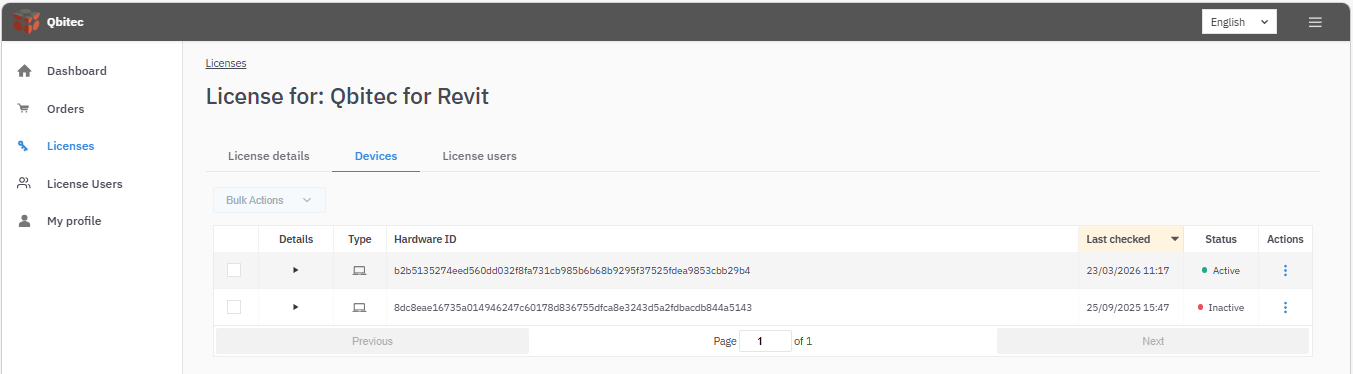
The Devices section provides an overview of all devices for which the license has been activated, as well as the current activation status.
[](https://qbitec.com/kb/uploads/images/gallery/2026-03/EXXimage.png)
Use the **Actions** menu to **Reset** the license for a particular device. For example, if you want to use Qbitec on a new machine and don't currently have access to the old machine for which the license was activated, you can reset the license.
Select the **Details** drop-down menu to view more information about the device.
##### **License users**
A license can be used by multiple users, and you can assign, reassign, or remove users here.
[](https://qbitec.com/kb/uploads/images/gallery/2026-03/vIMimage.png)
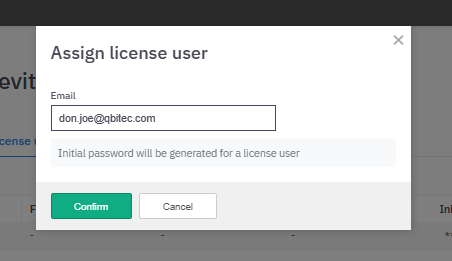
Select **Assign license user** and enter the email address of the new user:
[](https://qbitec.com/kb/uploads/images/gallery/2026-03/zznimage.png)
A new license user will be created as long as the maximum number of license users is not exceeded (see **License Details**). Copy the **Initial password** and provide these credentials to the new license user, who will then be able to activate the license and change the initial password.
[](https://qbitec.com/kb/uploads/images/gallery/2026-03/LASimage.png)
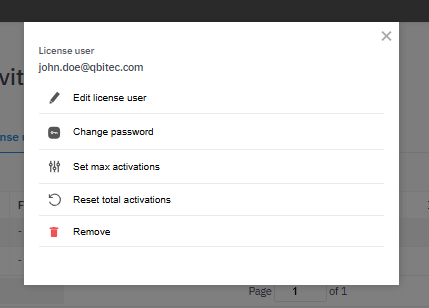
From the **Actions** menu, you can change the email address or password for the license user, or remove the user to make room for others. You can also reset the total activations for that user, which deactivates their license on any device. You can set the maximum number of activations to allow the user to activate the license on multiple devices, as long as the total number of activations for the license is not exceeded (see License Details).
[](https://qbitec.com/kb/uploads/images/gallery/2026-03/nmoimage.png)
---
If you need further assistance, contact the Qbitec support team